What corporate clients expect
A corporate booking is judged on the brand, not only on the fun. The marketing team will look at every screen and every print.
- The brand on the screen, on the print and in the email.
- Photos that leave the booth digitally, by email or QR code.
- Answers to a few questions, handed over after the event.
- A clear consent step for guest photos.
- A booth that does not fail in front of the client, even with weak venue Wi-Fi.
The brand on every screen and every photo
The welcome screen matches the event: title, subtitle, logo and an image or video background. Templates take the client’s logo and colors, and guest emails carry their logo, color, subject and message.
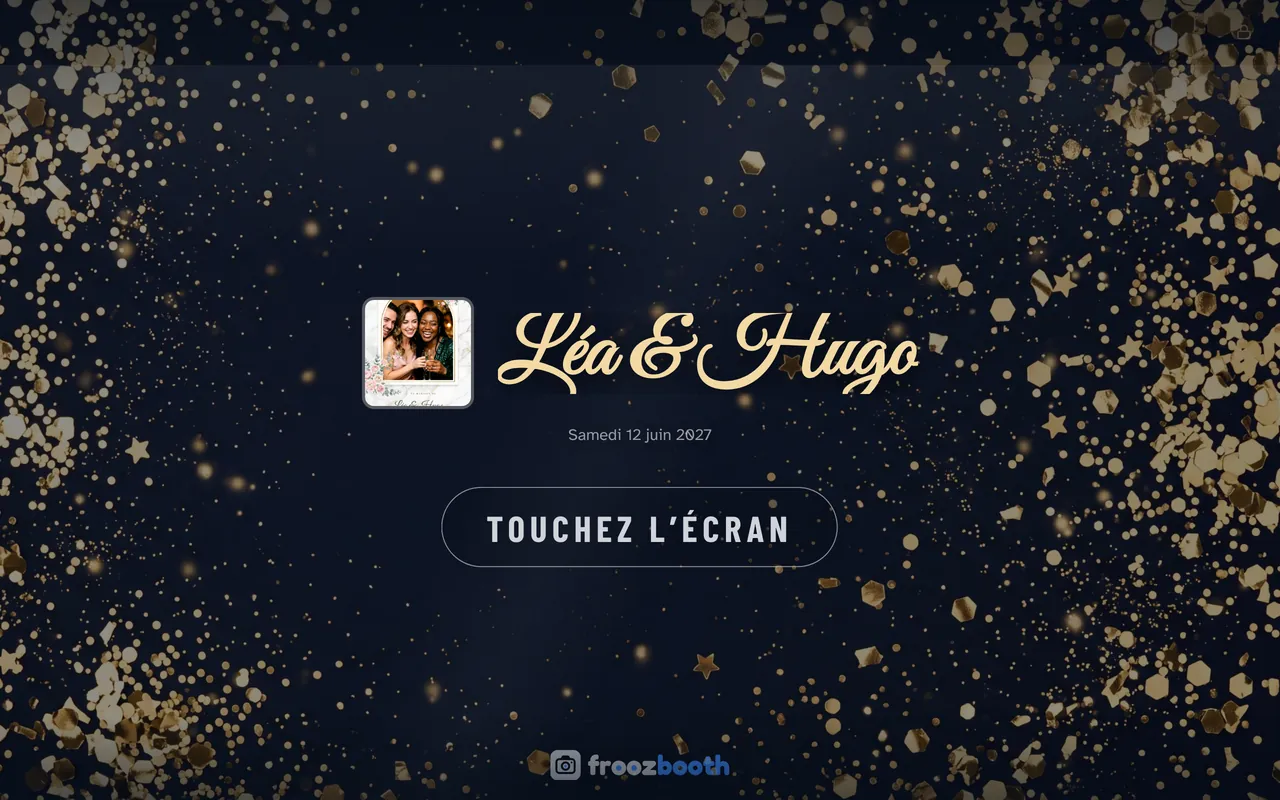
- Branded templatesBuild them online, or import a PNG made in Canva or Photoshop.
- Intros and transitionsShow a brand logo or a video before and between poses.
- Email from your domainWith Cloud+, emails go out from your own domain.
- Your own watermarkAdd your branding to the photos if you want.
The template editor and the free templates are the starting point for a brand’s own design. Photo booth templates and editor
To go further, green screen puts the brand’s logo and colors behind every guest without printing a banner, and AI portraits turn guests into the heroes of a style you write for the brand, printed and shared like any other photo. AI photo booth for events
A survey with answers on the photo
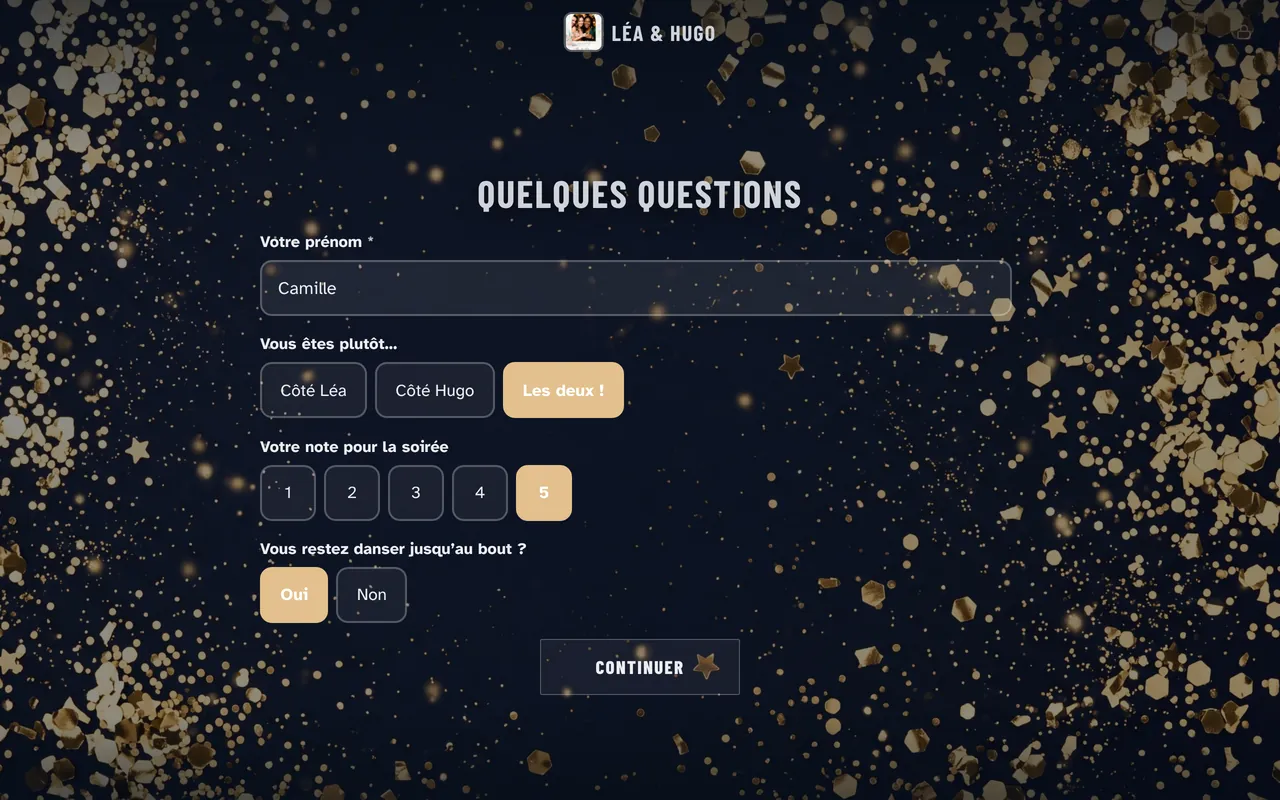
Ask up to eight questions before the photo: free text, multiple choice, rating or yes/no. Answers can print on the photo, like the guest’s first name or table. The results appear in the dashboard, ready to hand to your client.
Sharing by email and QR code
- QR code: guests get their photo on their phone, with no app to install.
- Email: guests type their address on an on-screen keyboard, with typo correction.
- Online gallery: one link for the client, with an optional PIN code.
- GIF and boomerang loops are sent with the photo.
- Booth offline: sends wait for the network and go out on their own.
Personal data and consent
Corporate clients ask where guest photos go and how consent is collected. Froozbooth gives you straight answers.
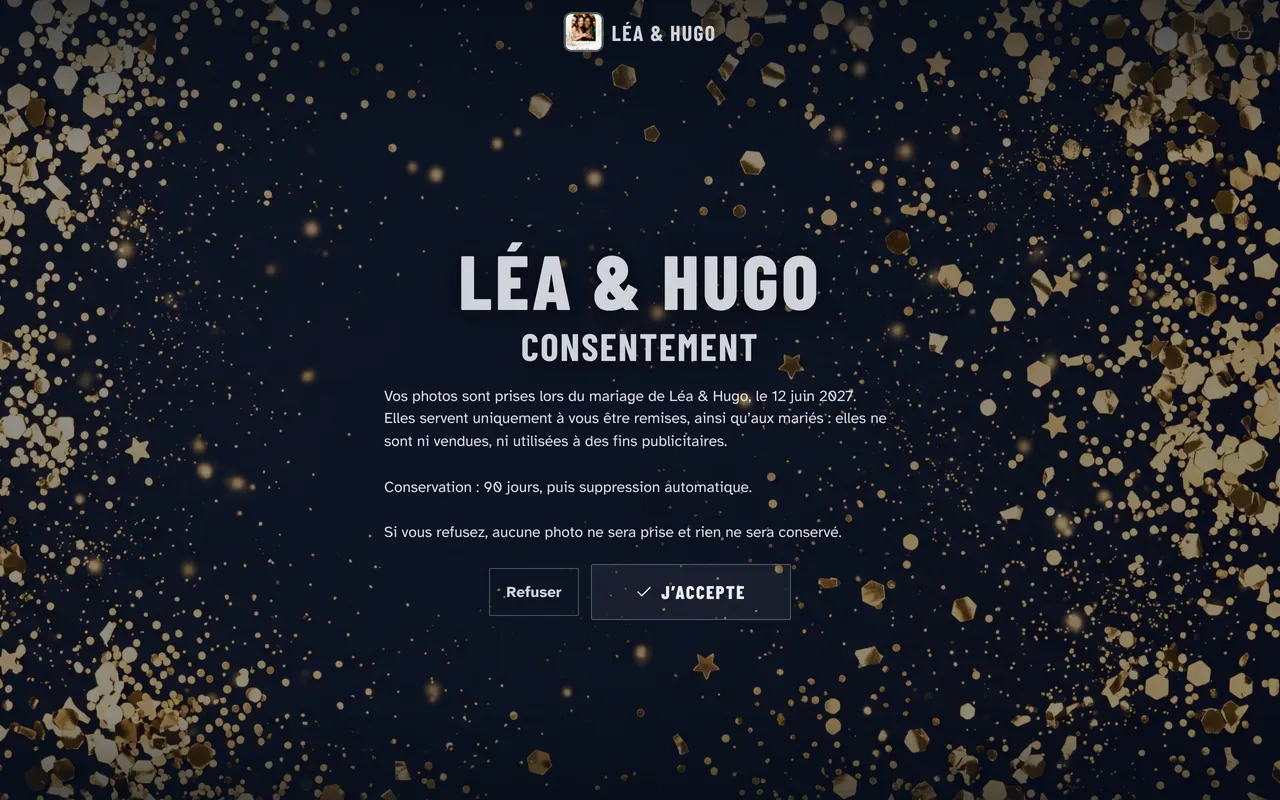
- A consent screen before the first photo, with text you edit for each event.
- If a guest declines, the session is deleted.
- A consent log you can export as CSV, and a finger-drawn signature when the booking calls for it.
- Photos hosted in Paris, France (AWS eu-west-3).
- The gallery link expires 90 days after the event by default, or the duration you choose.
Two machines for large events
Every Solo plan covers two Windows PCs: a booth and its backup, or two rooms on the same night. Pro covers up to 10 machines, for €29 a month or €279 a year. The Machines page of the dashboard shows each booth’s status live, from your phone. Every Froozbooth feature
Corporate work often fills the weekdays between weddings. The business guide covers how to find those clients. How to start a photo booth rental business
Frequently asked questions
Can I put a company’s logo on every photo booth print?
Yes. In Froozbooth, templates, the welcome screen and guest emails take the client’s logo and colors. You can also show the logo before and between poses with intros and transitions.
Can a corporate photo booth collect guest answers?
Yes, with the Froozbooth survey: up to eight questions before the photo, as free text, multiple choice, rating or yes/no. Answers can print on the photo, and the results appear in the dashboard, ready to hand to your client.
Where are guest photos stored?
In Paris, France (AWS eu-west-3). The gallery link expires 90 days after the event by default; you can choose 30, 90 or 365 days, or never. Files are deleted 30 days after the link expires.
Should corporate clients pay more than private clients?
Charge for what the booking requires. Corporate events often need a branded welcome screen, digital sharing, a survey and answers on personal data. Sell those as options or as a corporate package: in Froozbooth they are included in every plan.